Introduction
A few years ago, artificial intelligence felt like something only large technology companies could use. Today, things are very different.
Students use AI to organize study materials, summarize information, and improve productivity. Professionals use AI to manage projects, write reports, create presentations, and automate repetitive tasks.
Recently, I spoke with a university student who was struggling to balance coursework, research, and part-time work. He started using a few free AI tools and quickly noticed a difference. Tasks that once took hours could now be completed much faster, allowing him to focus more on learning and less on repetitive work.
The same trend is happening in workplaces around the world.
The simple answer is this: Free AI tools can help students and professionals save time, improve productivity, organize information, and work more efficiently when used responsibly.
In this article, we’ll explore some of the best free AI tools available today, their strengths, limitations, and who can benefit most from them.
Why AI Tools Are Becoming Essential
Technology continues to evolve rapidly.
People now handle larger amounts of information than ever before. Emails, reports, assignments, research, meetings, and content creation all require time and attention.
AI tools help by:
- Automating repetitive tasks
- Organizing information
- Improving productivity
- Supporting creativity
- Reducing workload
While AI cannot replace human judgment, it can become a valuable assistant for daily work and learning.
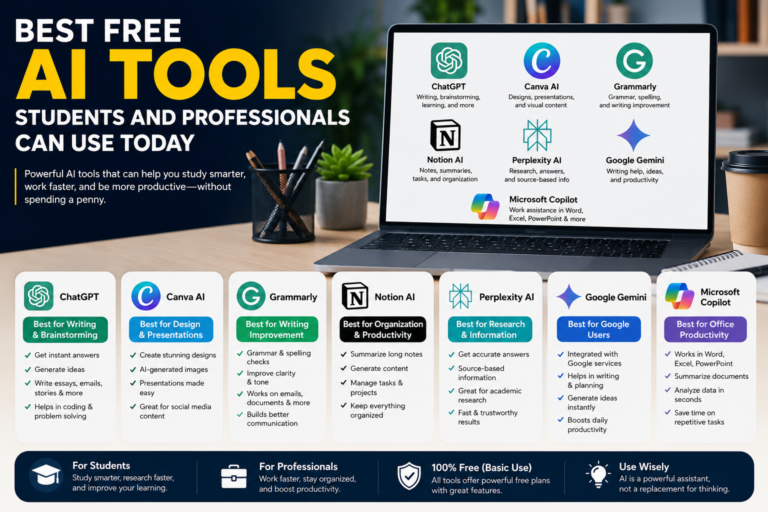
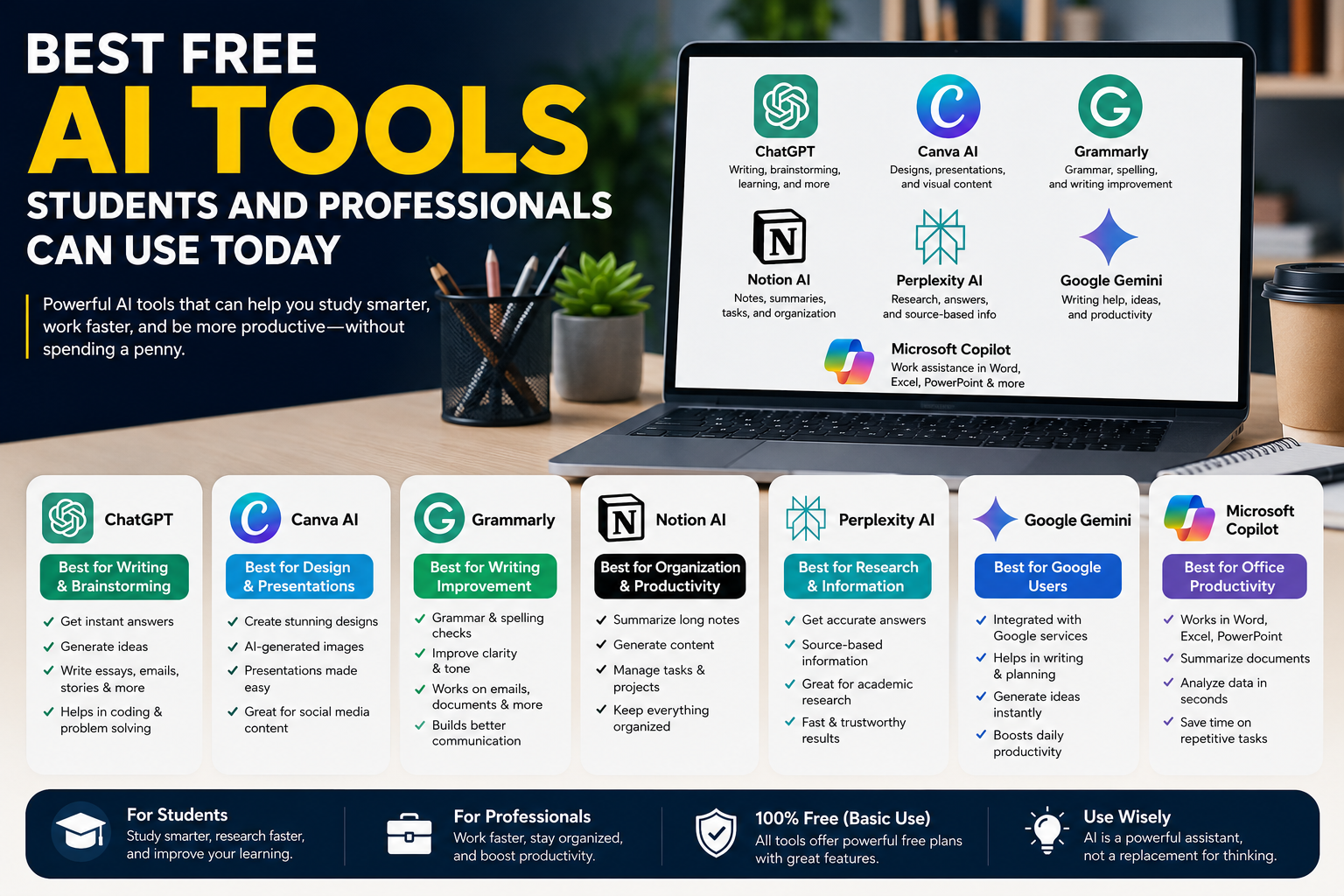
ChatGPT – Best for Writing and Brainstorming
One of the most popular AI tools today is ChatGPT.
Students often use it for:
- Understanding concepts
- Generating study ideas
- Creating outlines
- Practicing writing
Professionals use it for:
- Drafting emails
- Brainstorming ideas
- Creating content
- Summarizing information
Benefits
- Easy to use
- Fast responses
- Supports multiple tasks
- Helpful for research and writing
Limitations
- Information should be verified
- Responses may occasionally contain inaccuracies
For many users, ChatGPT serves as an excellent starting point for AI-assisted productivity.
Canva AI – Best for Design and Presentations
Creating professional-looking designs used to require advanced design skills.
Today, Canva AI helps users create:
- Social media graphics
- Presentations
- Posters
- Infographics
- Marketing materials
Students can create attractive assignments and presentations, while professionals can improve visual communication.
Benefits
- Beginner-friendly
- Large template library
- Time-saving design tools
Limitations
- Some advanced features require paid plans
For non-designers, Canva AI can be extremely useful.
Grammarly – Best for Writing Improvement
Good writing remains an important skill.
Grammarly helps users:
- Correct grammar mistakes
- Improve clarity
- Enhance readability
- Adjust tone
This tool is particularly valuable for students writing assignments and professionals preparing reports or business communications.
Benefits
- Improves writing quality
- Easy browser integration
- Helpful suggestions
Limitations
- Advanced recommendations may require premium access
Even the free version provides significant value.
Notion AI – Best for Organization and Productivity
Notion AI combines note-taking, organization, and productivity features.
Users can:
- Organize projects
- Create summaries
- Manage tasks
- Store information
- Generate content
For students juggling multiple subjects or professionals managing several projects, organization can dramatically improve productivity.
One thing I’ve noticed is that people often underestimate how much time they lose searching for information. Tools like Notion AI help solve that problem.
Benefits
- Excellent organization
- Project management support
- Flexible workspace
Limitations
- Requires some setup and learning
Perplexity AI – Best for Research
Research is one area where AI can provide tremendous value.
Perplexity AI focuses on finding information and providing source-based answers.
Students frequently use it for:
- Academic research
- Topic exploration
- Learning new subjects
Professionals use it for:
- Industry research
- Market analysis
- Information gathering
Benefits
- Source references
- Fast research assistance
- Easy information discovery
Limitations
- Users should still verify critical information
Research quality often improves when multiple sources are consulted.
Google Gemini – Best for Google Ecosystem Users
Google Gemini continues to evolve as a powerful AI assistant.
It integrates with various Google services and supports tasks such as:
- Writing assistance
- Information discovery
- Productivity support
- Content generation
Benefits
- Strong Google integration
- Useful productivity features
- Easy access
Limitations
- Some features may vary by region
For people already using Google’s ecosystem, Gemini can become a useful productivity companion.
Microsoft Copilot – Best for Office Productivity
Microsoft Copilot is designed to help users work more efficiently within Microsoft applications.
It assists with:
- Document creation
- Spreadsheet analysis
- Presentations
- Workplace productivity
Benefits
- Strong workplace integration
- Useful for professionals
- Saves time on routine tasks
Limitations
- Some advanced features may require subscriptions
For office-based work, Copilot is becoming increasingly popular.
How Students Can Use AI Responsibly
AI tools can support education, but they should not replace learning.
Students should use AI for:
- Understanding concepts
- Study planning
- Research assistance
- Writing improvement
Students should avoid:
- Submitting AI-generated work without review
- Relying entirely on AI answers
- Skipping critical thinking
The best educational results come when AI supports learning rather than replacing it.
How Professionals Can Benefit
Professionals can use AI to improve efficiency in many areas.
Common Uses
- Email drafting
- Meeting summaries
- Research
- Project planning
- Content creation
The goal is not to eliminate human involvement.
Instead, AI helps reduce repetitive work so professionals can focus on decision-making and creativity.
Advantages of Free AI Tools
Increased Productivity
Tasks can often be completed faster.
Better Organization
Information becomes easier to manage.
Improved Learning
Students can access explanations and educational support.
Enhanced Creativity
Brainstorming and idea generation become easier.
Accessibility
Many useful AI tools are available at no cost.
These advantages explain why adoption continues growing worldwide.
Potential Drawbacks to Consider
Despite their benefits, AI tools have limitations.
Accuracy Issues
Information should always be verified.
Privacy Concerns
Users should understand how platforms handle data.
Overdependence
AI should support thinking, not replace it.
Learning Curve
Some tools require time to learn effectively.
Responsible use remains important.
FAQ
1. What is the best free AI tool for students?
ChatGPT, Perplexity AI, and Grammarly are among the most popular choices for students.
2. Can free AI tools improve productivity?
Yes. Many AI tools help automate repetitive tasks and improve efficiency.
3. Are AI tools safe to use?
Most reputable AI tools are safe when used responsibly and with proper privacy awareness.
4. Which AI tool is best for research?
Perplexity AI is particularly useful because it provides source-based information.
5. Should professionals use AI tools?
Yes. AI tools can help professionals save time, organize work, and improve productivity.
Conclusion
AI tools are becoming valuable assistants for both students and professionals. From writing and research to organization and productivity, these tools help people work smarter and learn more efficiently.
The best approach is to view AI as a support system rather than a replacement for human skills. Critical thinking, creativity, and judgment remain essential.
By choosing the right tools and using them responsibly, students and professionals can gain significant benefits while preparing for an increasingly technology-driven future.
Related Resources
Daily Nest
https://dailynest.tech/
About the Author